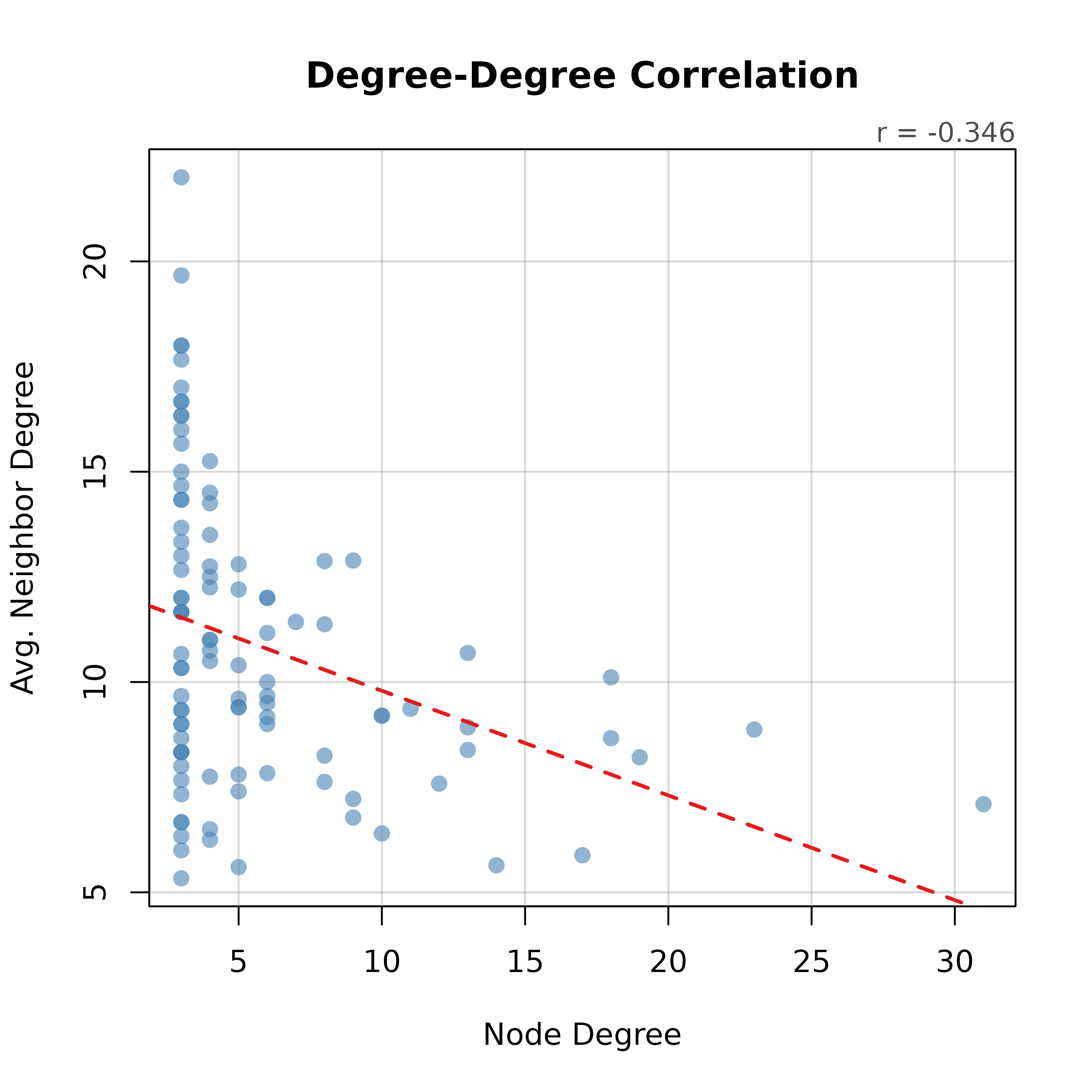
Scatter plot of each node's degree against the average degree of its neighbors. A positive slope indicates assortative mixing and a negative slope indicates disassortative mixing. When more than two nodes have neighbors, a least-squares line is added and the Pearson correlation is printed in the top margin.
Usage
plot_degree_correlation(
  x,
  mode = "all",
  directed = NULL,
  col = "steelblue",
  main = "Degree-Degree Correlation",
  ...
)
Arguments
- x
Network input: matrix, igraph, network, cograph_network, or tna.
- mode
Character. Degree type and neighborhood used for directed networks:
"all"(default),"in", or"out".- directed
Logical or NULL. Default NULL (auto-detect).
- col
Point color. Default
"steelblue".- main
Title. Default
"Degree-Degree Correlation".- ...
Additional arguments passed to
plot.
Value
Invisibly, a data frame with one row per node and columns
node, degree and avg_neighbor_degree. The
average neighbor degree is NA for nodes without neighbors.