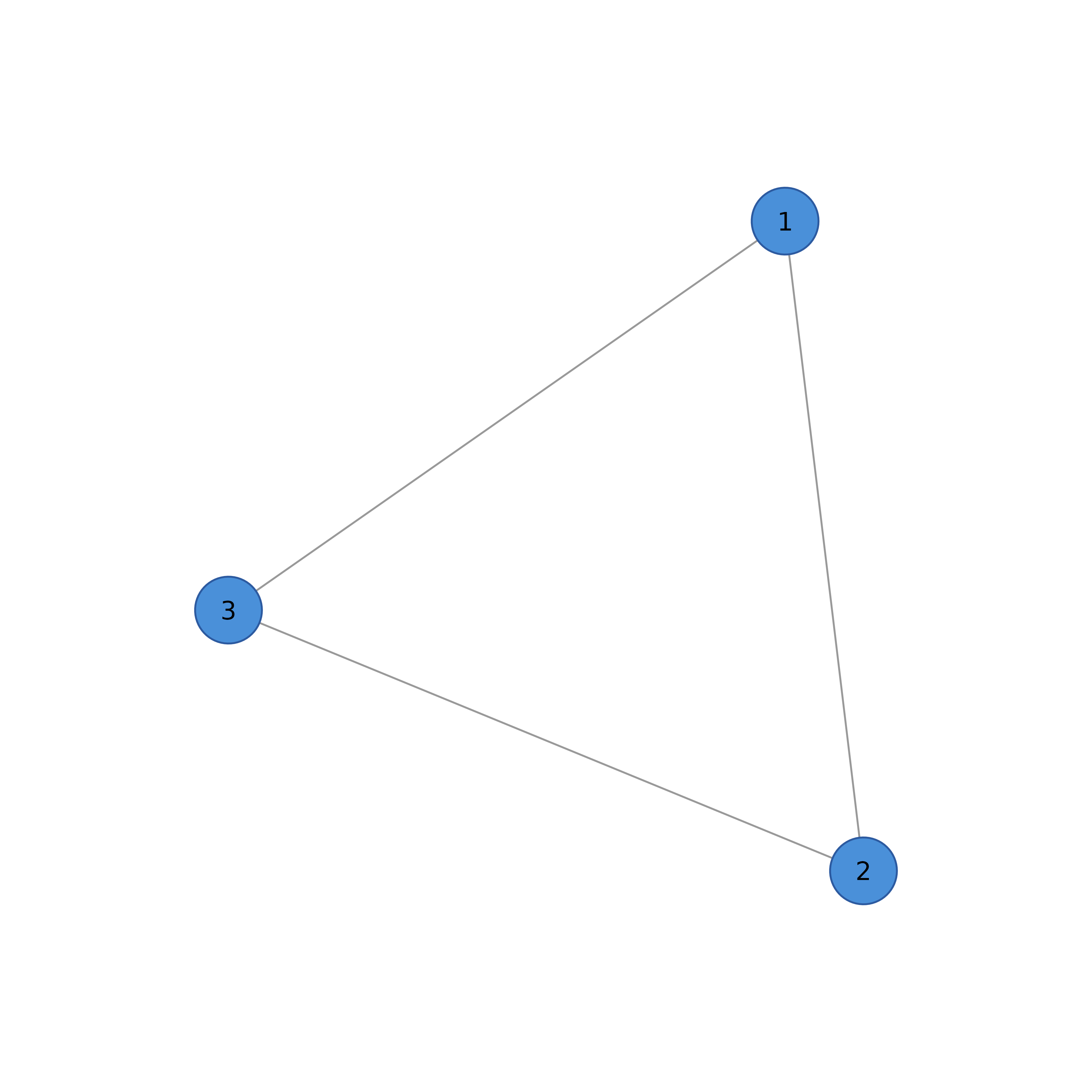
Plots a network with grid graphics. Node and edge aesthetics can be passed
as arguments or set beforehand with sn_nodes and
sn_edges.
Usage
soplot(
  network,
  title = NULL,
  title_size = 14,
  margins = c(0.05, 0.05, 0.1, 0.05),
  layout_margin = 0.15,
  newpage = TRUE,
  background = "white",
  layout = NULL,
  theme = NULL,
  seed = 42,
  labels = NULL,
  threshold = NULL,
  maximum = NULL,
  node_size = NULL,
  node_shape = NULL,
  node_fill = NULL,
  node_border_color = NULL,
  node_border_width = NULL,
  node_alpha = NULL,
  label_size = NULL,
  label_color = NULL,
  label_position = NULL,
  show_labels = NULL,
  pie_values = NULL,
  pie_colors = NULL,
  pie_border_width = NULL,
  donut_values = NULL,
  donut_border_width = NULL,
  donut_inner_ratio = NULL,
  donut_bg_color = NULL,
  donut_show_value = NULL,
  donut_value_size = NULL,
  donut_value_color = NULL,
  donut_fill = NULL,
  donut_color = NULL,
  donut_colors = NULL,
  donut_shape = "circle",
  donut_value_fontface = "bold",
  donut_value_fontfamily = "sans",
  donut_value_digits = 2,
  donut_value_prefix = "",
  donut_value_suffix = "",
  donut2_values = NULL,
  donut2_colors = NULL,
  donut2_inner_ratio = 0.4,
  edge_width = NULL,
  edge_size = NULL,
  esize = NULL,
  edge_width_range = NULL,
  edge_scale_mode = "linear",
  edge_cutoff = NULL,
  cut = NULL,
  edge_width_scale = NULL,
  edge_color = NULL,
  edge_alpha = NULL,
  edge_style = NULL,
  curvature = NULL,
  arrow_size = NULL,
  show_arrows = NULL,
  edge_positive_color = NULL,
  positive_color = NULL,
  edge_negative_color = NULL,
  negative_color = NULL,
  edge_duplicates = NULL,
  edge_labels = NULL,
  edge_label_size = NULL,
  edge_label_color = NULL,
  edge_label_position = NULL,
  edge_label_offset = NULL,
  edge_label_bg = NULL,
  edge_label_fontface = NULL,
  edge_label_border = NULL,
  edge_label_border_color = NULL,
  edge_label_underline = NULL,
  bidirectional = NULL,
  loop_rotation = NULL,
  curve_shape = NULL,
  curve_pivot = NULL,
  curves = NULL,
  node_names = NULL,
  legend = FALSE,
  legend_position = "topright",
  scaling = "default",
  weight_digits = 2
)

sn_render(
  network,
  title = NULL,
  title_size = 14,
  margins = c(0.05, 0.05, 0.1, 0.05),
  layout_margin = 0.15,
  newpage = TRUE,
  background = "white",
  layout = NULL,
  theme = NULL,
  seed = 42,
  labels = NULL,
  threshold = NULL,
  maximum = NULL,
  node_size = NULL,
  node_shape = NULL,
  node_fill = NULL,
  node_border_color = NULL,
  node_border_width = NULL,
  node_alpha = NULL,
  label_size = NULL,
  label_color = NULL,
  label_position = NULL,
  show_labels = NULL,
  pie_values = NULL,
  pie_colors = NULL,
  pie_border_width = NULL,
  donut_values = NULL,
  donut_border_width = NULL,
  donut_inner_ratio = NULL,
  donut_bg_color = NULL,
  donut_show_value = NULL,
  donut_value_size = NULL,
  donut_value_color = NULL,
  donut_fill = NULL,
  donut_color = NULL,
  donut_colors = NULL,
  donut_shape = "circle",
  donut_value_fontface = "bold",
  donut_value_fontfamily = "sans",
  donut_value_digits = 2,
  donut_value_prefix = "",
  donut_value_suffix = "",
  donut2_values = NULL,
  donut2_colors = NULL,
  donut2_inner_ratio = 0.4,
  edge_width = NULL,
  edge_size = NULL,
  esize = NULL,
  edge_width_range = NULL,
  edge_scale_mode = "linear",
  edge_cutoff = NULL,
  cut = NULL,
  edge_width_scale = NULL,
  edge_color = NULL,
  edge_alpha = NULL,
  edge_style = NULL,
  curvature = NULL,
  arrow_size = NULL,
  show_arrows = NULL,
  edge_positive_color = NULL,
  positive_color = NULL,
  edge_negative_color = NULL,
  negative_color = NULL,
  edge_duplicates = NULL,
  edge_labels = NULL,
  edge_label_size = NULL,
  edge_label_color = NULL,
  edge_label_position = NULL,
  edge_label_offset = NULL,
  edge_label_bg = NULL,
  edge_label_fontface = NULL,
  edge_label_border = NULL,
  edge_label_border_color = NULL,
  edge_label_underline = NULL,
  bidirectional = NULL,
  loop_rotation = NULL,
  curve_shape = NULL,
  curve_pivot = NULL,
  curves = NULL,
  node_names = NULL,
  legend = FALSE,
  legend_position = "topright",
  scaling = "default",
  weight_digits = 2
)
Arguments
- network
A cograph_network object, matrix, data.frame, igraph or tna object. Other inputs are converted with
as_cograph(); tna objects are converted withfrom_tna().- title
Optional plot title.
- title_size
Title font size.
- margins
Plot margins as c(bottom, left, top, right).
- layout_margin
Margin around the network layout (proportion of viewport). Default 0.15.
- newpage
Logical. Start a new graphics page? Default TRUE.
- background
Background color for the plot. Default "white".
- layout
Layout algorithm. Built-in: "circle", "spring", "groups", "grid", "random", "star", "bipartite". igraph (2-letter): "kk" (Kamada-Kawai), "fr" (Fruchterman-Reingold), "drl", "mds", "ni" (nicely), "tr" (tree), etc. Can also pass a coordinate matrix or igraph layout function directly. NULL (default) keeps the layout stored in a cograph_network and uses "oval" for inputs without stored coordinates.
- theme
Theme name: "classic", "dark", "minimal", etc.
- seed
Random seed for deterministic layouts. Default 42. Set NULL for random.
- labels
Node labels. Can be a character vector to set custom labels.
- threshold
Minimum absolute edge weight to display. Edges with abs(weight) < threshold are hidden. Similar to qgraph's threshold.
- maximum
Maximum edge weight for width scaling. Weights above this are capped. Similar to qgraph's maximum parameter.
- node_size
Node size.
- node_shape
Node shape: "circle", "square", "triangle", "diamond", "ellipse", "heart", "star", "pie", "donut", "cross".
- node_fill
Node fill color.
- node_border_color
Node border color.
- node_border_width
Node border width.
- node_alpha
Node transparency (0-1).
- label_size
Node label text size.
- label_color
Node label text color.
- label_position
Label position: "center", "above", "below", "left", "right".
- show_labels
Logical. Show node labels?
- pie_values
For pie/donut/donut_pie nodes: list or matrix of values for segments. For donut with single value (0-1), shows that proportion filled.
- pie_colors
For pie/donut/donut_pie nodes: colors for pie segments.
- pie_border_width
Border width for pie chart segments.
- donut_values
For donut_pie nodes: vector of values (0-1) for outer ring proportion.
- donut_border_width
Border width for donut ring.
- donut_inner_ratio
For donut nodes: inner radius ratio (0-1). Default 0.5.
- donut_bg_color
For donut nodes: background color for unfilled portion.
- donut_show_value
For donut nodes: show value in center? Default FALSE.
- donut_value_size
For donut nodes: font size for center value.
- donut_value_color
For donut nodes: color for center value text.
- donut_fill
Numeric value (0-1) for donut fill proportion. This is the simplified API for creating donut charts. Can be a single value or vector per node.
- donut_color
Fill color(s) for the donut ring. Simplified API: single color for fill, or c(fill, background) for both.
- donut_colors
Deprecated. Use donut_color instead.
- donut_shape
Base shape for donut: "circle", "square", "hexagon", "triangle", "diamond", "pentagon". The default "circle" takes the base shape from
node_shapewhen that is one of these shapes.- donut_value_fontface
Font face for donut center value: "plain", "bold", "italic", "bold.italic". Default "bold".
- donut_value_fontfamily
Font family for donut center value. Default "sans".
- donut_value_digits
Decimal places for donut center value. Default 2.
- donut_value_prefix
Text before donut center value (e.g., "$"). Default "".
- donut_value_suffix
Text after donut center value (e.g., "%"). Default "".
- donut2_values
List of values for inner donut ring (for double donut).
- donut2_colors
List of color vectors for inner donut ring segments.
- donut2_inner_ratio
Inner radius ratio for inner donut ring. Default 0.4.
- edge_width
Edge width. If NULL, scales by weight using edge_size and edge_width_range.
- edge_size
Maximum edge width for weight scaling. It replaces the upper bound of
edge_width_range. NULL (default) usesedge_width_rangeunchanged.- esize
Deprecated. Use
edge_sizeinstead.- edge_width_range
Output width range as c(min, max) for weight-based scaling. Default c(0.5, 4). Edges are scaled to fit within this range.
- edge_scale_mode
Scaling mode for edge weights: "linear" (default), "log" (for wide weight ranges), "sqrt" (moderate compression), or "rank" (equal visual spacing).
- edge_cutoff
Accepted for compatibility with
splot(). The grid renderer keeps width scaling continuous and does not use the value.- cut
Deprecated. Use
edge_cutoffinstead.- edge_width_scale
Scale factor for edge widths. Values > 1 make edges thicker.
- edge_color
Edge color.
- edge_alpha
Edge transparency (0-1).
- edge_style
Line style: "solid", "dashed", "dotted", "longdash", "twodash".
- curvature
Edge curvature amount.
- arrow_size
Size of arrow heads.
- show_arrows
Logical. Show arrows?
- edge_positive_color
Color for positive edge weights.
- positive_color
Deprecated. Use
edge_positive_colorinstead.- edge_negative_color
Color for negative edge weights.
- negative_color
Deprecated. Use
edge_negative_colorinstead.- edge_duplicates
How to handle duplicate edges in undirected networks. NULL (default) = stop with error listing duplicates. Options: "sum", "mean", "first", "max", "min", or a custom aggregation function.
- edge_labels
Edge labels. Can be TRUE to show weights, or a vector.
- edge_label_size
Edge label text size.
- edge_label_color
Edge label text color.
- edge_label_position
Position along edge (0 = source, 0.5 = middle, 1 = target).
- edge_label_offset
Perpendicular offset from edge line.
- edge_label_bg
Background color for edge labels (default "white"). Set to NA for transparent.
- edge_label_fontface
Font face: "plain", "bold", "italic", "bold.italic".
- edge_label_border
Border style: NULL, "rect", "rounded", "circle".
- edge_label_border_color
Border color for label border.
- edge_label_underline
Logical. Underline the label text?
- bidirectional
Logical. Show arrows at both ends of edges?
- loop_rotation
Angle in radians for self-loop direction (default: pi/2 = top).
- curve_shape
Spline tension for curved edges (-1 to 1, default: 0).
- curve_pivot
Pivot position along edge for curve control point (0-1, default: 0.5).
- curves
Curve mode. NULL (default) or "mutual" keeps single edges straight and curves reciprocal edges as two opposing arcs; FALSE plots all edges straight; "force" curves all edges.
TRUEis rejected with an error.- node_names
Alternative names for legend (separate from display labels).
- legend
Logical. Show legend?
- legend_position
Legend position: "topright", "topleft", "bottomright", "bottomleft".
- scaling
Scaling mode: "default" for qgraph-matched scaling where node_size=6 looks similar to qgraph vsize=6, or "legacy" for the earlier cograph scaling constants.
- weight_digits
Number of decimal places to which a matrix input is rounded before conversion, so that entries rounding to zero are not plotted as edges. Other inputs are not rounded. Default 2. Set NULL to disable rounding.
Value
The updated cograph_network object, invisibly. The function
is called for the plot it produces.
The updated cograph_network object, invisibly. The function
is called for the plot it produces.
Details
soplot and splot
soplot() uses grid graphics and splot() uses base R graphics.
The two functions share argument names for the common aesthetics, and
splot() has a larger set of arguments.
Edge Curve Behavior
With the default curves, reciprocal edge pairs (A->B and
B->A) curve in opposite directions and single edges remain straight.
curves = FALSE plots all edges as straight lines, and
curves = "force" curves every edge.